AI Caricature Generator from Any Selfie
Upload a selfie and get a playful, high-quality caricature in seconds. Pick a style, tune the exaggeration, and download in HD for avatars, gifts, or social posts.
Drag & drop an image here, or click to upload
JPG, PNG and GIF supported
AI Generated Caricature Preview
Where Caricatures Work Best
Create fun, memorable portraits for personal branding, social channels, events, and gifts—without hiring an artist.
Creators & Streamers
Stand out with a caricature avatar on YouTube, Twitch or TikTok that matches your channel vibe.
Social Profiles
Refresh LinkedIn, Discord or Slack with a lighthearted portrait that still looks like you.
Gifts & Cards
Print caricatures on birthday cards, party invites, stickers or thank-you notes in minutes.
Teams & Events
Make quick caricature badges for hackathons, meetups, weddings or company events.
Marketing
Add a humorous caricature to campaign landing pages, email headers, or case studies to increase recall.
Collectibles
Generate a series of caricatures with consistent style for digital stickers or merch.
About the AI Caricature Generator
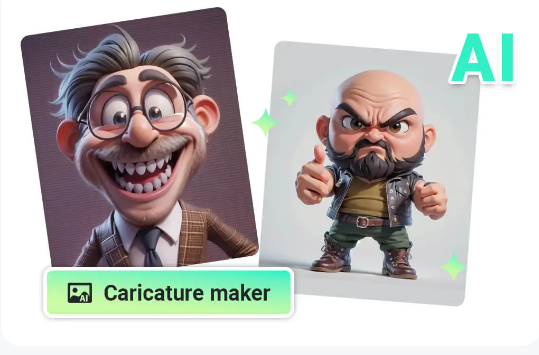
Our AI Caricature Generator instantly transforms any selfie into a stylized caricature. Choose from playful presets, adjust how exaggerated features are, and export print-ready files—no drawing skills needed.
- Style-Ready Out of the BoxPick from studio, comic, watercolor or pop-art presets; each is tuned for flattering skin tones and clear facial lines.
- Control the ExaggerationDial features from subtle to bold so it stays recognizable for professional use or goes playful for parties.
- Web-Based and FastOpen in your browser, drop a selfie, and get results in seconds. No installs, no watermarks, ready to share.
How to Use the AI Caricature Generator
Three quick steps to turn a selfie into a shareable caricature.
Step 1 — Upload a Selfie
Drag in a clear front-facing photo with good lighting, or click to choose a file.
Step 2 — Pick Style & Exaggeration
Select a style preset, move the exaggeration slider, and see the live preview update instantly.
Step 3 — Download in HD
Export a transparent PNG or shareable square avatar, ready for profiles, prints, or posts.
Key Features for Better Caricatures
Everything you need to go from selfie to polished caricature in a click.
Smart Face Detection
Automatically centers faces and keeps proportions so caricatures look intentional, not distorted.
Exaggeration Slider
Fine-tune how bold the caricature is—subtle for professional use, or extreme for fun social posts.
Style Presets
Switch between comic ink, watercolor, pop-art neon, painterly, or minimalist line styles with one click.
High-Resolution Downloads
Export 4K-ready PNGs with transparent backgrounds for printing stickers, merch, or profile avatars.
Background Control
Keep the original background, blur it, or swap in solid colors to make the character pop.
Instant Preview
See your caricature update live as you tweak style and exaggeration—no re-uploads needed.
One-Click Sharing
Copy a shareable image link or optimized square avatar for Instagram, X, Discord, or Slack.
Privacy-Friendly
Your selfies are processed for generation only—we don’t train on them or watermark your outputs.
Workflow Ready
Download transparent PNGs, keep layered PSD/PNG options, and reuse consistent styles across teams.
AI Caricature Generator FAQ
Everything you need to know about creating and using caricatures.
What is the AI Caricature Generator?
It turns a regular selfie into a stylized caricature using AI. You control the style and exaggeration level while the tool keeps you recognizable.
Which file formats can I upload?
Common image formats like JPG and PNG work best. For highest quality, use a clear, front-facing photo with good lighting.
Is there a size limit?
We recommend uploads under 8MB for faster results. Large photos are automatically resized to keep rendering quick.
Can I adjust how exaggerated it is?
Yes. Use the exaggeration slider to move between subtle enhancement and bold caricature. You can also switch styles to find the right tone.
Do you store my photos?
No. Images are processed only to generate your caricature and aren’t used for training or shared externally.
Can I use the caricature commercially?
Yes, you own your caricature. If the original photo has licensing restrictions, make sure your usage follows those terms.
Create Your Caricature Now
Upload a selfie, pick a style, and download an HD caricature in seconds.